
June 18, 2026
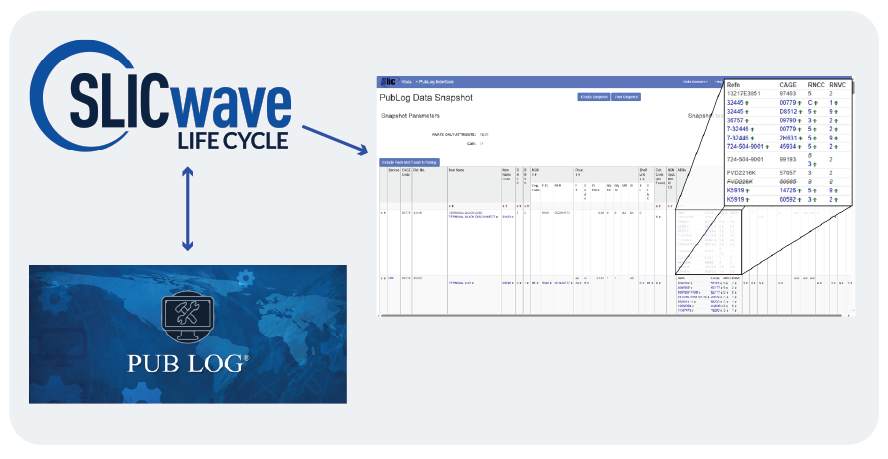
Integrated Product Support (IPS) thrives on quality, consistency, and speed. The available integration between SLICwave LC and Public Logistics Data (PUB LOG) elevates all three - transforming how organizations design, support, and sustain their products.
Public Logistics Data (PUB LOG) is the publicly available logistics information system designated by the U.S. Government DLA. It is used by government entities and OEMs for retrieving the latest parts information contained with the Federal Logistics Information System (FLIS) databases, including part number and name, National Stock Number (NSN), pricing and quantity information, shipping and packaging data, and information about available alternative reference numbers for the part.


To capitalize on this information for IPS purposes, SLICwave LC offers a specialized module to enable 1388-2B/0007 users to import and "screen" FLIS parts information against current Logistics Product Data (LPD) hosted within SLICwave LC's database(s). This screening process provides a visual comparison of the data contained in each system and provides simple options to update some or all of the SLICwave LC parts data as required.
The SLICwave LC PubLog Interface client module allows SLICwave LC's 1388-2B/0007 users to view, import, and screen FLIS parts information alongside current LPD and provides them with the option to update some or all of the SLICwave LC parts data as required.

ISS has remained committed to pioneering innovations that keep warfighters equipped and adaptable for over 40 years. Reach out today to schedule a demo, check out the Help available within SLICwave LC itself, and discover how ISS can revolutionize your approach to your IPS requirements with SLICwave LC.
Interested in learning more? Please feel free to contact your ISS account representative for more information or the sales team directly at sales@isscorp.com. You may also explore ISS’ training course website for available training opportunities.